
Gaming rooms are no longer just about a desk and a console. On Pinterest, futuristic gaming setups are exploding in popularity.
These rooms look like they belong in a sci-fi movie, and the best part is — you can recreate them without spending a fortune.
Here’s your ultimate guide to building a setup that’s cozy, futuristic, and jaw-droppingly aesthetic.
Table of Contents
Ultimate Gaming Room Setup Guide
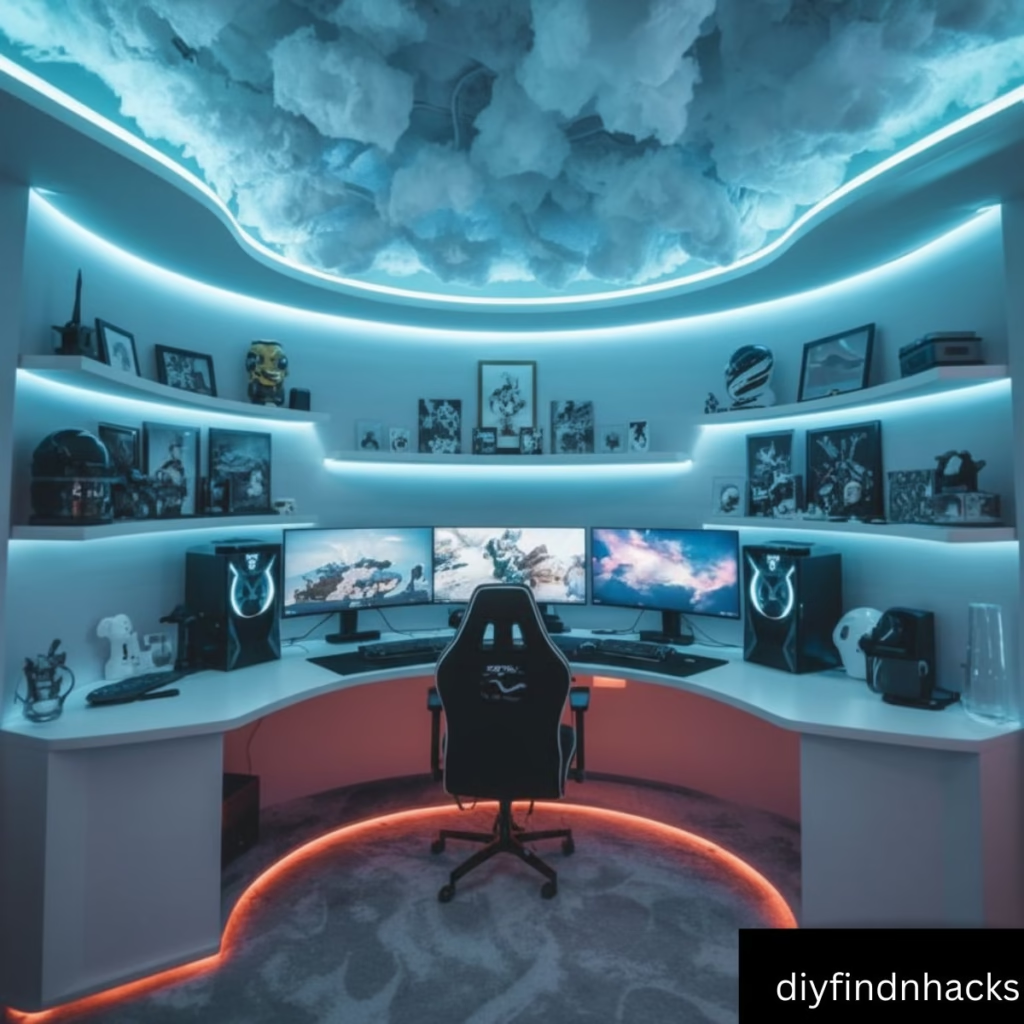
Every gaming room starts with the basics: a desk, chair, and screens. But the magic happens when you blend performance with design.
- A sturdy L-shaped or curved desk makes multitasking easier.
- An ergonomic chair with proper lumbar support is a must for long gaming hours.
- Layered lighting (ceiling, desk, and background) adds depth to your space.
Pro Tip: Don’t place your desk directly against the wall — leave a gap for LED backlighting. It instantly makes the whole setup look premium.
Room Size Consideration: For smaller rooms under 10×10 feet, a compact desk with dual monitors works best. Larger spaces can handle triple setups or even corner desks.
Cloud Ceiling DIY Tutorial
One of the hottest Pinterest trends right now is the LED cloud ceiling. It looks like you’re gaming under a glowing night sky, and it’s surprisingly simple to create.
What you need
- Polyfill or cotton stuffing
- LED strip lights (RGB or smart LEDs)
- Foam boards or lightweight panels
- Glue gun
Steps
- Fix foam boards on your ceiling where you want the cloud effect.
- Stick LED strips across them in wavy patterns.
- Glue polyfill over the strips to create fluffy “clouds.”
- Connect the lights to a smart controller for color changes.
Cost Breakdown: Materials typically cost between $40–$70 USD depending on the size of your ceiling and the quality of LED strips.
Insider Tip: Use voice-controlled smart LEDs so you can switch from “calm sunset” to “epic neon storm” with a single command.
Maintenance Tip: Dust clouds lightly with a handheld vacuum or soft duster once a month to keep them fluffy.
LED Lighting Ideas for Rooms
Lighting can make or break your setup. Instead of flooding the room with bright white light, layer LEDs for atmosphere and mood control.
- Place RGB strips behind your desk and monitors.
- Use neon signs to highlight walls.
- Add floor lamps with adjustable hues.
- Best Color Combos for Gaming Rooms:
- Purple + Blue = futuristic calm
- Red + White = intense and bold
- Cyan + Magenta = cyberpunk vibe
Pro Tip: Avoid mixing more than three colors at once. Stick to a palette for a cleaner, high-end look.
Energy Efficiency: Modern LEDs use up to 80% less power than traditional bulbs. A full setup with strips, panels, and lamps usually consumes less than running a single old-school halogen bulb.
Best Gaming Desk Setups for Inspiration
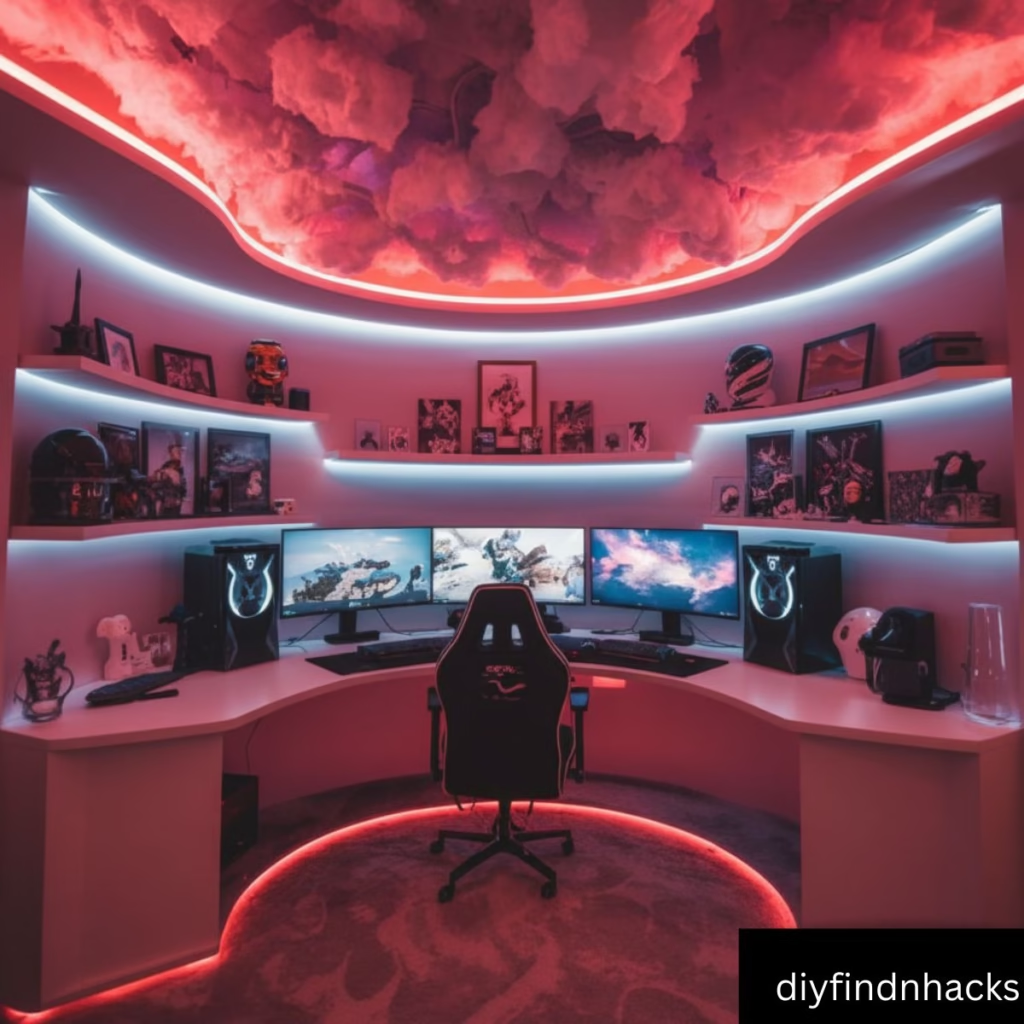
Pinterest is full of desk setup ideas, but the most popular ones balance ergonomics with aesthetics.
- Dual-monitor arms for flexibility
- Ultrawide curved displays for immersive play
- Floating shelves above the desk for collectibles
- Hidden cable channels under the desk
Insider Tip: Always invest in cable management early. Even the most expensive setups can look cheap if wires are dangling everywhere.
Brand Recommendations: IKEA Bekant desks, Secretlab Magnus metal desk for pros, and Flexispot standing desks for hybrid use are popular choices in gamer communities.
Cozy Aesthetic Gaming Rooms
Not every gaming room needs to look like a neon rave. Cozy setups are equally in demand.
- Add a soft rug under your desk
- Mix warm LEDs with fairy lights
- Place plants or plush decor for comfort
Pinterest data shows that “cozy gamer room” searches jumped by 60% this year. People love setups that balance comfort and performance.
Dual/Triple Monitor Setup Inspiration
If you love multitasking, multiple monitors are game-changers.
- Dual monitors are ideal for casual gamers and streamers.
- Triple monitors create an ultra-wide immersive view — perfect for racing sims and shooters.
- A single ultrawide can also replace multiple screens for a cleaner look.
Pro Tip: Position monitors in a slight curve around your chair — it reduces eye strain and maximizes your field of view.
Price Range: Dual monitor setups start around $250–$400, while premium triple monitor rigs can go beyond $1,000 depending on the models.
Budget vs Premium Gaming Setups
You don’t need a millionaire’s budget to get a Pinterest-worthy setup.
Budget Setup
- Basic desk + mid-range chair
- LED strips + polyfill for DIY cloud ceiling
- Dual monitors or a single ultrawide
- Premium Setup:
- Custom curved desk
- Racing-style gaming chair with RGB trims
- Triple monitors with ultra-responsive refresh rates
- Nanoleaf or Govee smart lighting panels
Insider Tip: Spend more on the chair and lighting first — they impact comfort and aesthetics more than you think.
Where to Buy: Amazon, IKEA, and Best Buy carry budget-friendly options, while premium gear is often found on specialist gaming sites like NZXT, Corsair, and Secretlab.
Top Accessories for Immersive Gaming Rooms
Accessories bring character to your space.
- Neon wall signs with gamer tags
- Bluetooth speakers or soundbars
- Collectible figures or helmets
- Ambient smart lamps
Trending on Pinterest: Sound-reactive LED panels that change color based on in-game audio. They make every battle or race feel next level.
Product Tip: Nanoleaf Shapes and Govee Glide are the top two LED panels dominating Pinterest-inspired setups.
Small Space Gaming Room Transformation
Don’t let limited space stop you.
- Use wall-mounted desks and monitor arms
- Add floating shelves to reduce clutter
- Choose slim chairs with ergonomic padding
- Install LEDs along corners to make the room look larger
Pro Tip: Mirrors and reflective surfaces amplify light and make compact gaming rooms feel bigger.
Maintenance Note: For compact setups, dust regularly and avoid overloading small desks with heavy monitors.
“Before and After” Gaming Setup Transformations
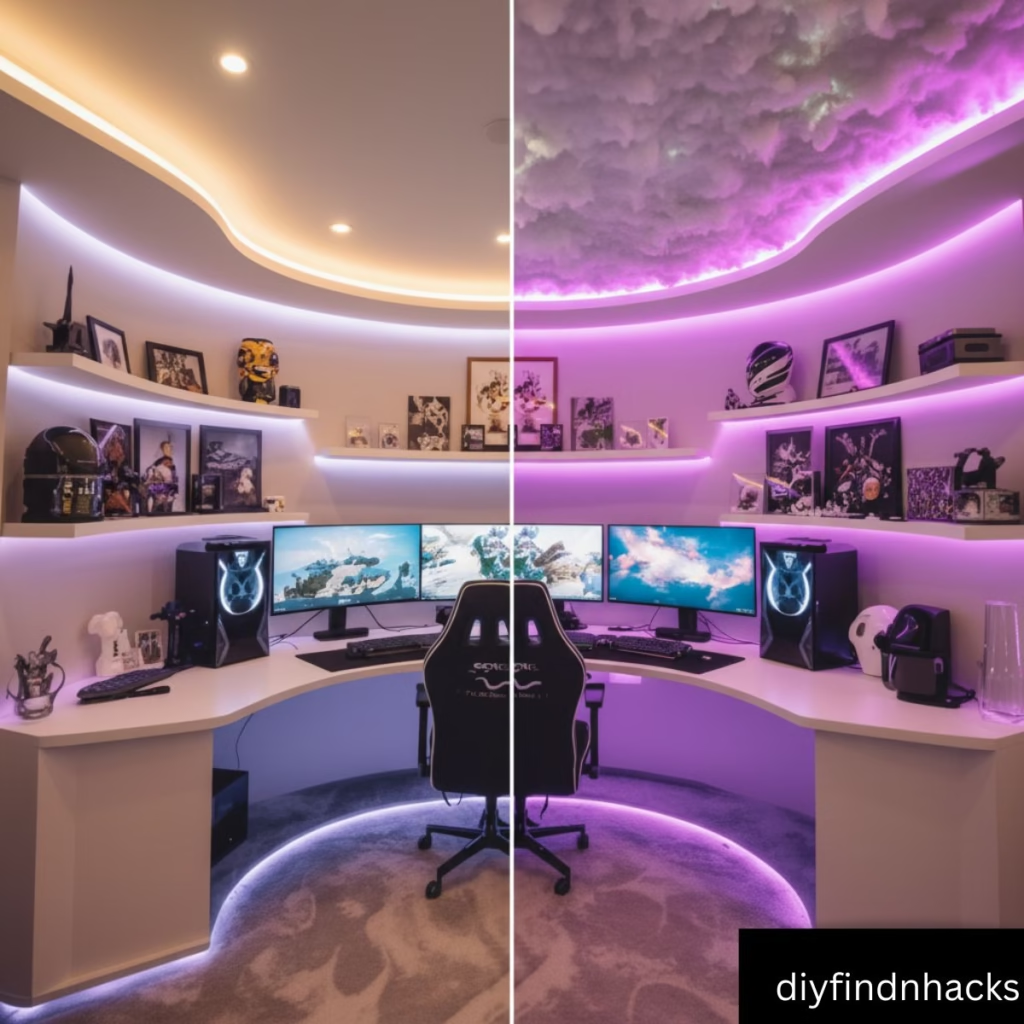
One reason this trend is going viral is the before-and-after glow-ups. Plain bedrooms transform into futuristic control centers with just a few changes:
- Adding cloud ceilings
- Swapping harsh bulbs with LEDs
- Installing extra monitors
- Styling shelves with collectibles
It’s proof that you don’t need a huge budget to completely change the vibe of a room — just creativity and the right accessories.
Pinterest Trend Stat: Posts with before-and-after images of gaming setups receive 3x more saves and shares compared to static photos.
FAQs
Q: How much does it cost to build a gaming room like this?
A: DIY setups can start as low as $200, while premium builds can cross $2,000.
Q: Is the cloud ceiling safe?
A: Yes, as long as you use low-heat LEDs and proper mounting.
Q: How often should I clean the setup?
A: Once every 2 weeks to avoid dust build-up.
Q: Can this work in rental apartments?
A: Absolutely. Use removable LED strips and adhesive hooks for a no-damage setup.
Conclusion
From DIY cloud ceilings to premium LED setups, today’s gaming rooms are more than just a place to play — they’re a reflection of personality and style.
Read More: Step-by-Step DIY Tutorial for Making the Drifting Car Wall Light


One thought on “Epic Gaming Room Ideas with Cloud Ceiling & LED Magic”